
Visitanos
Visitanos y Comentanos en Facebook Te esperamos…..
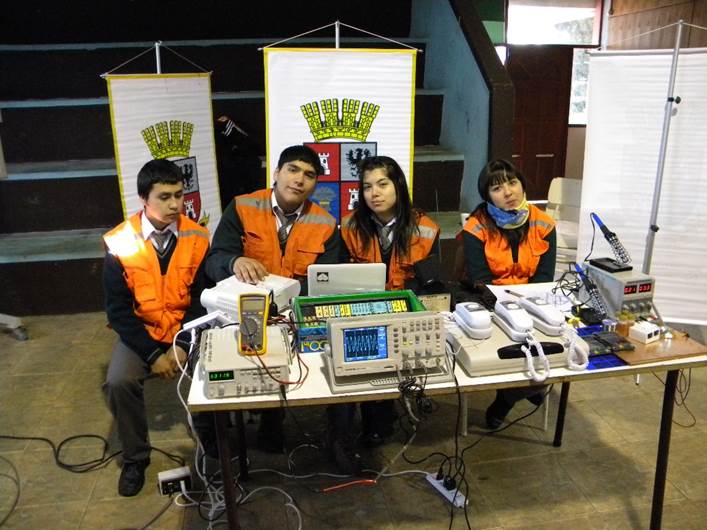
Educación Municipal Negrete Toda persona tiene derecho a la educación. La educación debe ser gratuita, al menos en lo concerniente a la instrucción elemental y fundamental. La instrucción elemental será obligatoria. La instrucción técnica y profesional habrá de ser generalizada; el acceso a los estudios superiores será igualpara todos, en función de los
RokTwittie is a module that integrates Twitter into your Joomla site. Display tweets of any username, or even by search terms, as well as your profile information and various other elements from Twitter itself. RokTwittie is the perfect compliment to any Social site, or Business site that uses Twitter. Module Features Real Time Tweets: Tweets
NegreteTwittie Modale Read More »
In erat. Pellentesque erat. Mauris vehicula vestibulum justo. Cum sociis natoque penatibus et magnis dis parturient montes, nascetur ridiculus mus. Nulla pulvinar est. Integer urna. Pellentesque pulvinar dui a magna. Nulla facilisi. Proin imperdiet. Aliquam ornare, metus vitae gravida dignissim, nisi nisl ultricies felis, ac tristique enim pede eget elit. Integer non erat nec turpis
Integer fermentum elit in tellus. Integer ligula ipsum, gravida aliquet, fringilla non, interdum eget, ipsum. Praesent id dolor non erat viverra volutpat. Fusce tellus libero, luctus adipiscing, tincidunt vel, egestas vitae, eros. Vestibulum mollis, est id rhoncus volutpat, dolor velit tincidunt neque, vitae pellentesque ante sem eu nisl. Donec facilisis, magna eget elementum pellentesque, augue
Access the Style Control settings from: Admin → Extensions → Template Manager → (J15) rt_radiance_j15 or (J17) rt_radiance → Settings Simple configure the options, then save and Gantry will automatically load the modified preset to your site. Color Chooser Settings A Color Chooser template uses CSS color values, combined with transparent overlay images, to determine
Gantry sets the dimensions of the logo, so CSS modification is unnecessary. Step 1 – Open the File Open the logo-source.png file in Adobe® Fireworks. In the right column, find Layers. Select the Web layers directory and click the eye icon to the left of the logo slice (the green object). This will make the